
等轴测机械图解
把一个技术概念做成一台真实的小机器来讲:几十上百个精细零件的等轴测 SVG,带实时读数和交互动画,可加 WebGL 光影,输出 HTML、SVG 或 React 组件。
帮我安装等轴测机械图解 skill https://github.com/wheresryan22/anatomy,然后做一张可交互的图,把令牌桶限流的原理讲清楚
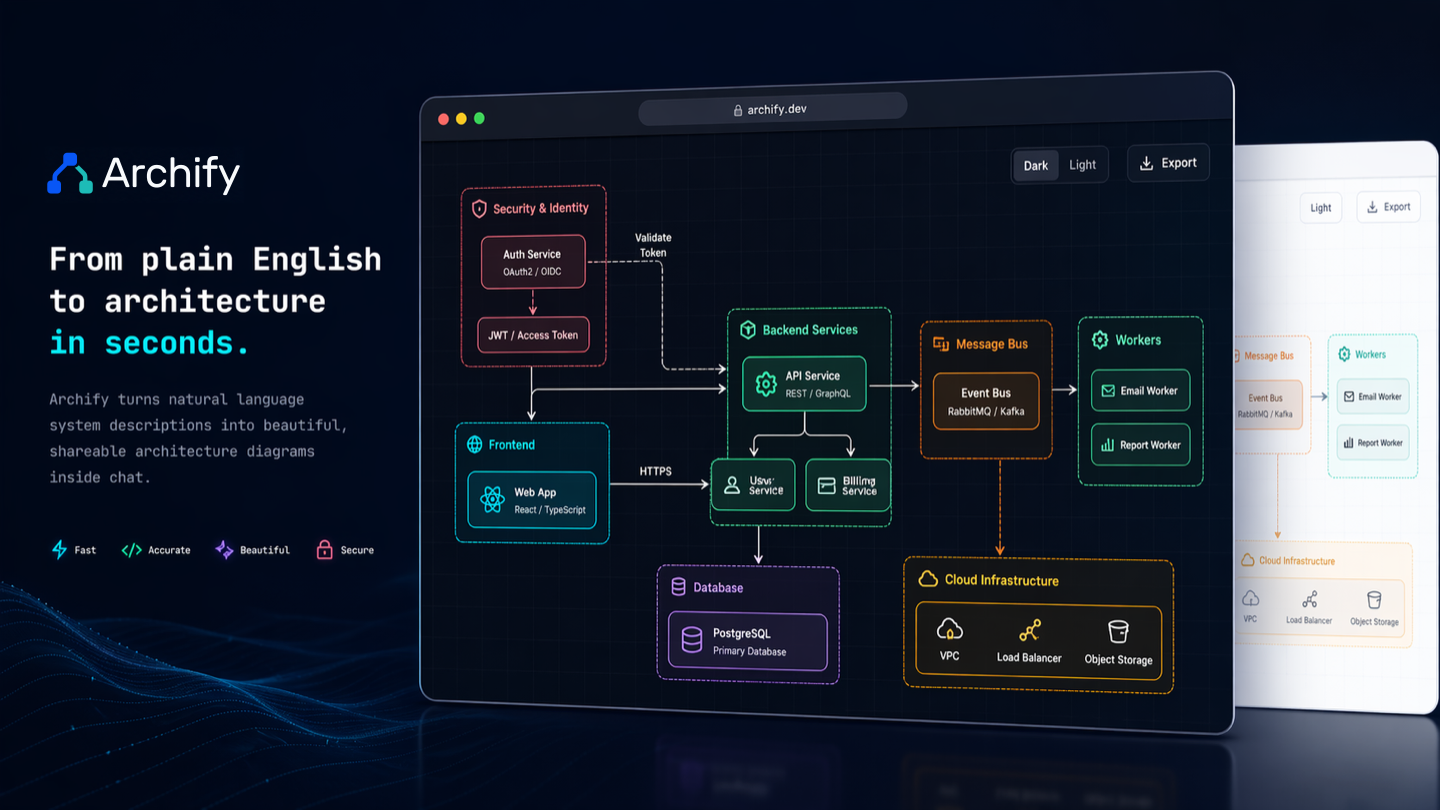
一句话描述系统,画出可点击、可切深浅色的架构图、时序图和流程图,单个 HTML 文件直接发人。
帮我用 https://github.com/tt-a1i/archify 安装 archify skill,然后帮我画一张网站请求流程图:浏览器请求 API,API 先查 Redis,缓存没命中再查 PostgreSQL 并回填缓存
它会按这个仓库把 skill 装好,然后直接开始干活。把后半句换成你自己的任务即可。
git clone --depth 1 https://github.com/tt-a1i/archify.git /tmp/archify
cp -r /tmp/archify/archify ~/.claude/skills/archify
.archify/ 下单独建一个文件夹存放ARCHIFY_UPDATE_CHECK_DISABLED=1Create an interactive HTML diagram from typed JSON. Static output is the default; enable motion only when requested.
Run commands from your working directory. Unless the user names another location, give each new diagram request its own folder .archify/<type>-<slug>-<YYYYMMDD-HHMMSS>/ there (local time, chosen once when the request starts): keep candidate.json and <slug>.html in it, set meta.output to that relative HTML path, and reuse the folder for every repair rerun. A later request gets a new folder, so earlier versions stay intact. Replace bin/archify.mjs in the commands below with the installed package's absolute path, or its path relative to your working directory; input and output paths resolve from that working directory.
For a real codebase, read Repository authoring while tracing the requested behavior. A system description uses the steps below; an existing JSON uses the handoff path.
When the user supplies a frozen candidate, run finalize first as one CLI invocation. Its passing receipt completes the automated gates; follow any visual review recommendation under Delivery before claiming visual quality. For repair, follow step 5.
finalize includes a bounded update check in its delivery receipt; see Update awareness.
Use this path for ordinary generation. Read branch references only when their stated trigger applies.
Choose architecture, workflow, sequence, dataflow, or lifecycle from the question.
Use the exact schema and example paths in the Type router without listing their directories. Read Authoring defaults and the mode's example in a bounded batch separate from project documents and complete schemas so neither is truncated; recover any missing section before writing. For Architecture, use the matching showcase example. For Sequence, Dataflow, and Lifecycle, also read the mode and common schemas. Read the relevant schema definition before choosing any new field, enum, or constrained text, especially boundary kinds. Examples teach shape, not facts. Use fresh IDs, wording, and layout. Go directly to the candidate without preliminary help, doctor, starter validation, temporary diagrams, or output-path listing. Query brands only for an explicitly requested mark; read Brand marks for an unknown mark with a user-provided URL.
Once the requested scope and, for a real codebase, source evidence are covered, write the complete candidate directly without planning coordinates in prose. Choose Architecture abstraction and connected placement using Authoring defaults before coordinates: show the main user journey and necessary branches, preserve control roles and behavior-changing conditions, and leave enough room for actual relationship labels. No node, relationship, source, view, card, or boundary count is a target or ceiling. Use automatic routes first; add explicit routing only for necessary branch, return, supplied geometry, or measured repair. Set meta.quality_profile to "showcase" unless the user requests dense standard.
Once the complete first candidate is written, run finalize directly. Its first gate is showcase validation; successful first drafts need no separate pre-validation. Keep the candidate unchanged while the command runs:
node bin/archify.mjs finalize <type> <candidate.json> <output.html> --quality showcase --json
For a repository-backed candidate, include evidence on the first draft and use the complete first command: node bin/archify.mjs finalize <type> <candidate.json> <output.html> --repo-root <repo-root> --quality showcase --json.
A passing receipt proves the included validate, deliver, strict check, and real-browser browser-check gates passed. Use its compact summary; run standalone commands only for a separate request or focused failure diagnosis.
A non-zero exit is never success. Read compact stdout or evidence.summaryReceipt, then repair the failed gate, including its repair limit. Preserve requested meaning and source evidence. For several tangled Architecture routes, read Architecture layout repair; for measured field or geometry failures, read Authoring contract. Edit the connected neighborhood and rerun the complete finalize command from step 4.
finalize and standalone deliver include update in their receipts. Do not run a separate check for the same delivery. If update.noticeRequired is true, read references/update-awareness.md and keep one update line in your final response to the user, even after a quality gate fails. For a task with several diagrams, mention the update once in the final response. Snooze or ignore a reminder only when the user explicitly asks; never install or update on your own initiative.
Before the first candidate, use the authoring references and relevant repository source, not Archify implementation or tests. Inspect Archify implementation if diagnostics remain unactionable after focused repairs.
| Type | Use for | Schema | Example |
|---|---|---|---|
architecture |
Components, services, cloud/security boundaries, infrastructure | schemas/architecture.schema.json |
System descriptions, services, libraries, and CLI repos: examples/web-app.architecture.json; deployment repos: examples/production-deployment.architecture.json |
workflow |
Processes, approval gates, tool calls, runbooks, CI/CD | schemas/workflow.schema.json |
examples/agent-tool-call.workflow.json |
sequence |
API call chains, request lifecycles, async traces, returns | schemas/sequence.schema.json |
examples/cache-miss-request.sequence.json |
dataflow |
Pipelines, ETL/ELT, lineage, governance, consumers | schemas/dataflow.schema.json |
examples/product-analytics.dataflow.json |
lifecycle |
State/status transitions, retries, waiting and terminal states | schemas/lifecycle.schema.json |
examples/deployment-release.lifecycle.json |
When ambiguous, run node bin/archify.mjs guide "<scenario>" --json. Scenario proof examples are structural references, not facts to copy.
Read Mermaid for topology and meaning, then author fresh Archify JSON; do not mechanically render Mermaid styling.
flowchart / graph → workflow, or architecture for a component map.sequenceDiagram → sequence; participants become semantic participants and arrows become messages.stateDiagram → lifecycle; states and transitions retain meaning, not Mermaid style.Use the finalize command above for the first candidate and after a repair.
finalize stops at the first non-passing gate. Its compact stdout and <output-stem>.finalize-summary.json are ordinary evidence. A passing run creates no screenshots and reports visualReview: "not-requested".
When a passing Architecture receipt reports visualReviewRecommendation.signals.resolvedCrossovers, copy the candidate aside and apply the hints in one edit that changes only node positions and sizes: every node, relationship (including its from and to), label, and source stays as it was. Rerun the complete finalize once with --out-dir <folder>/review-2, because the previous HTML already owns its browser evidence. If that run fails or reports more crossings, restore the copy and finalize it with --out-dir <folder>/review-3. Do not start a second placement round. Hints about extra bends alone are optional.
When layoutReviewRecommendation.action is inspect-sequence-width, follow Sequence width review before handing off a newly authored Sequence.
Perceptual review is optional for ordinary generation, including a newly positioned Architecture. Use Optional capture evidence, with --out-dir <folder>/visual-check, when the user requests visual review, during development audits, or for a concrete route/browser concern. visualReviewRecommendation is advisory. Inspect captures before claiming visual quality; otherwise report automated checks only.
Read Delivery contract for failed gates, standalone commands, provenance/recovery, repeated delivery, exports, or opening. Recovery follows deliver → strict provenance check → browser-check; captures require strict provenance.
For workflow viewport overflow, read Workflow viewport repair before the next layout edit.
Report artifact checks, browser evidence, captures, and actual perceptual review as distinct results. For an explicitly requested immediate preview or active desktop loop, see Optional opening.
meta.animation: "trace" is opt-in.
Read references/viewer-runtime.md only when the user explicitly asks for Share Cards, Route/Reach cards, motion, deep links, presentation, search/focus, or another Viewer Runtime feature.
No install is required inside the skill package. For setup diagnosis, verify with:
node bin/archify.mjs doctor
node bin/archify.mjs demo <output-directory>
When shell access is unavailable, hand-place architecture SVG into assets/template.html, use CSS semantic classes rather than inline colors, and follow the visual review contract in references/delivery-contract.md.
Return the checked HTML as an absolute path, diagram type, validation summary, specification/artifact receipt, browser-evidence status, and truthful visual-review status. Do not claim success for a non-zero command or claim visual inspection you did not perform.